
Halloween Zombie Video: 6 Ideas From Two Photos
Six Halloween zombie video ideas you can make from two photos in a few minutes, with real stills, the format to pick for each, what it costs and what to avoid.
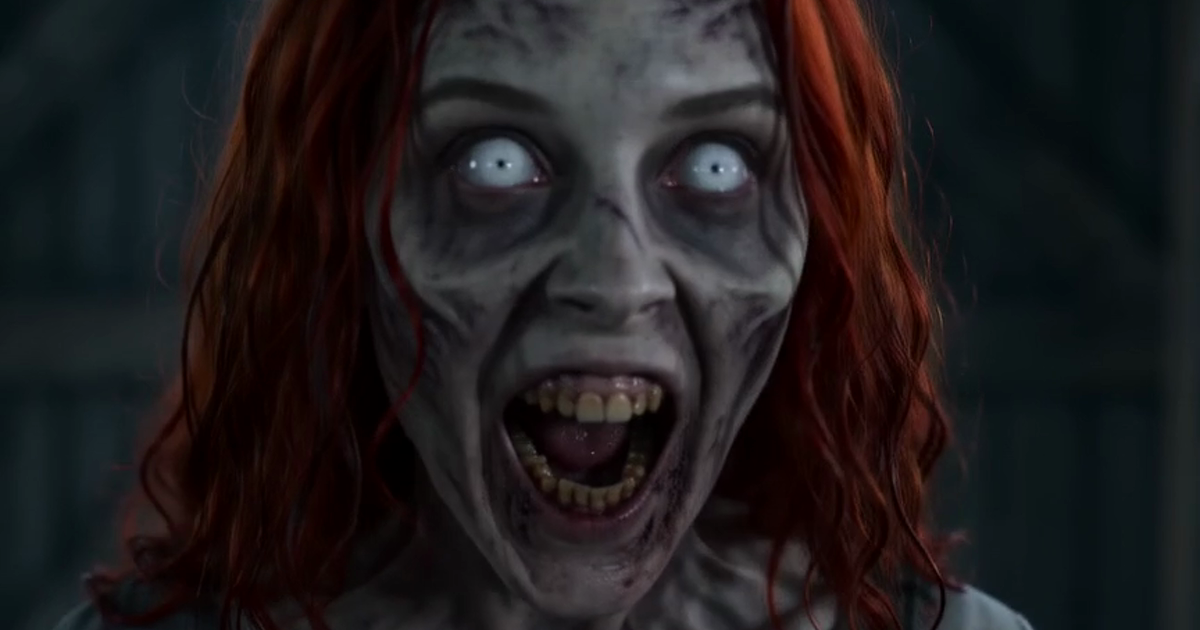
A Halloween zombie video does not need makeup, a costume or a camera. With two photos and a few minutes you can post a 15-second film in which one of you has turned, the other cannot shoot, and the scene cuts to the two of you alive in a wheat field. Halloween 2026 falls on Saturday 31 October, and a clip renders in about two and a half minutes at 480p, so this still works on the day itself.
Below are six Halloween ideas that all use the same film with a different cast or format. The stills come from clips made with the generator on this site, and the people and the dog in them are AI characters.
What a Halloween zombie video from two photos looks like
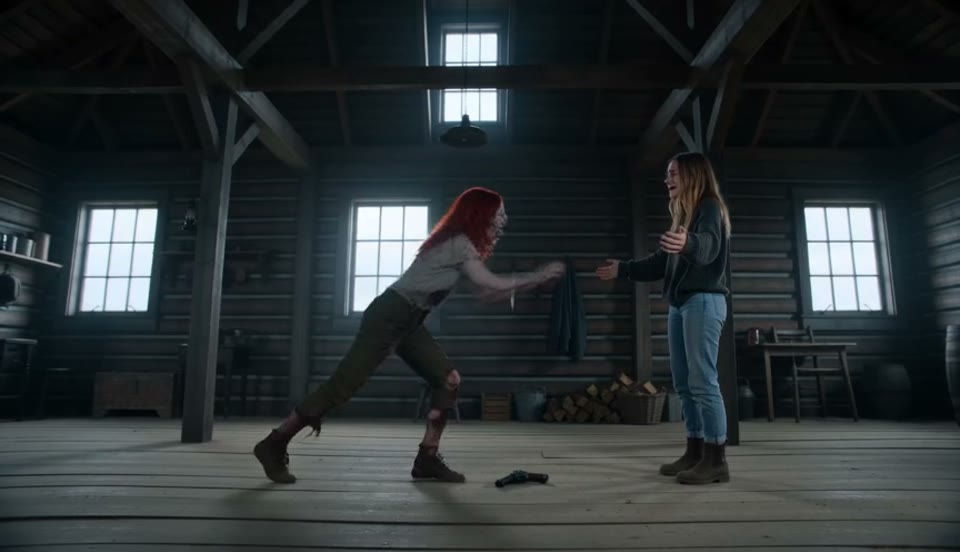
Every Halloween clip made here follows one shot list. Photo one is the survivor, who holds the gun. Photo two is the person or pet who turns. The zombie crosses a dim cabin, the survivor drops the gun and opens both arms, the zombie leaps, and in mid-air the film cuts to a hug at sunset.
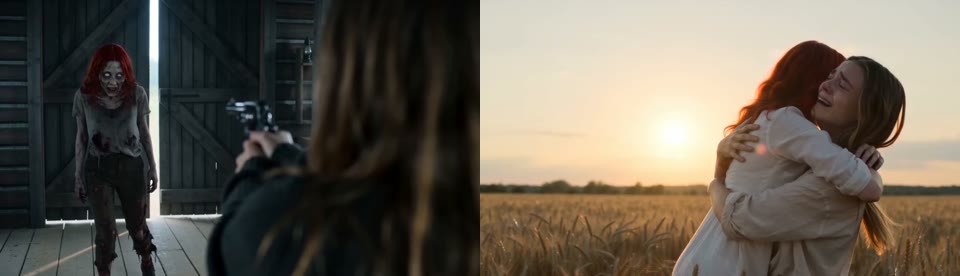
You cannot change the story or the setting. What you choose is who plays each part, the format and where you post it. That is enough for six quite different Halloween posts.
Six Halloween zombie video ideas
| Idea | Mode | Photo 1 (survivor) | Photo 2 (turns) | Format |
|---|---|---|---|---|
| 1. The couple standoff | Couple | You | Your partner | 16:9 |
| 2. Your pet turns | Pet | You | Your dog or cat | 16:9 |
| 3. You are the zombie | Couple | Your partner | You | 16:9 |
| 4. Best friend edition | Couple | You | Your friend | 16:9 |
| 5. The party invite | Couple or Pet | The host | A guest, or the pet | 16:9 |
| 6. Full-screen for Reels | Couple or Pet | Either | Either | 9:16 |
1. The couple standoff
This is the version the trend started with, and it is the one people recognise in a feed. Use a clear front-facing photo of each of you. The zombie keeps the hair and face shape from the second photo, so your partner is still recognisable under the grey skin.
2. Your pet turns
Switch the generator to Pet and use a daylight photo of one dog or cat. The pet keeps its breed, size and markings as a zombie, and it is its healthy self again in the field. The ending is a dog landing in someone's arms, which suits a Halloween post that is more sweet than scary.
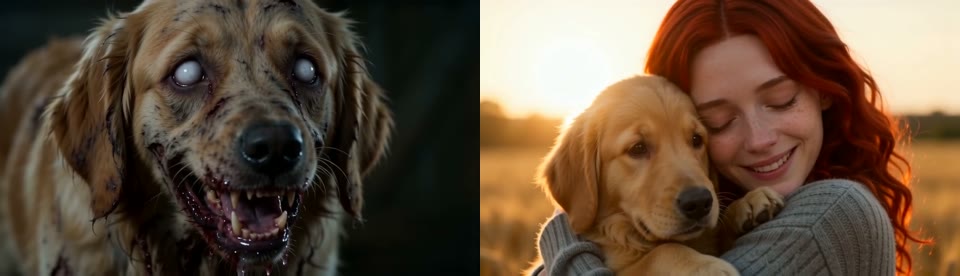
There is a full walkthrough on the zombie pet page.
3. You are the zombie
Swap the photos. Put yourself second and your partner first, and you become the one who turns. Posting both versions on Halloween, one after the other, gives you two clips from the same pair of photos.
4. Best friend edition
The Couple mode works with any two people. Be aware of the ending before you send it to a friend: the memory scene is a run, a jump into open arms and a hand on a cheek. Between friends it reads as a joke, which is usually the point on Halloween.
5. The party invite
Render the clip in 16:9 and drop it into the group chat as the Halloween party invitation. The generator adds no text, so put the date and address in the message, or add a caption in your own editor.
6. Full-screen for Reels, Shorts and TikTok
The trend is filmed wide, so it shows with black bars in a vertical feed. If you want your Halloween clip to fill the phone screen, pick 9:16. The two samples on this site were made in 16:9; the 9:16 option uses the same shot list.
What it costs to make one for Halloween
Videos are paid for with credits from one-time packs. There is no subscription, and a video that fails is refunded automatically.
| Pack | Price | Credits | 480p videos | 720p videos |
|---|---|---|---|---|
| Starter | $9.90 | 300 | 3 | 1 |
| Creator | $24.90 | 900 | 9 | 4 |
| Studio | $59.90 | 2,400 | 24 | 12 |
A 480p video uses 100 credits and a 720p video uses 200. Both samples on this site are 480p. The Starter pack covers Halloween ideas 1, 2 and 3 at that quality. Current prices are on the pricing page.
Four things to know before you post on Halloween
Your costume will not show. The film dresses the cast itself: dark clothes in the cabin and white in the memory scene. A Halloween costume in your photo is not carried into the clip, so use the photo with the clearest face rather than the best outfit.
It is a zombie look without gore. The prompt asks for grey skin, white eyes and dark veins, with no blood or wounds. One of our pet clips still showed dark stains around the mouth, so watch the close-up before you post it anywhere strict.
There is no song in it. The clip comes with wind, breathing and a soft score. Add a Halloween sound in the app when you post.
Use photos of people who agreed. That means no celebrities and no children. Everyone in a Halloween clip should know they are in it.
To watch both finished samples before Halloween, open the examples page.